Scripts
HUD Creator (textures, material pbr, sounds, animations, color, alpha mode) - 1Click Maker
Hi Enjoy!
L$4.999
Preço no Marketplace
Grátis
 1 / 7
THE NEW ERA OF HUD CREATION HAS ARRIVED!
THE NEW ERA OF HUD CREATION HAS ARRIVED!
--- THIS IS THE FREE VERSION, SO SOME FEATURES WILL BE LOCKED! ---
The FREE version has basic features such as changing legacy textures, PBR, rotating objects, playing sounds, opening URLs, displaying messages and more... For a complete experience and access to all available features, buy the PRO version!
With the PRO version you have access to all the features listed below and 10x more memory to create really huge HUDS!
Get the pro version:
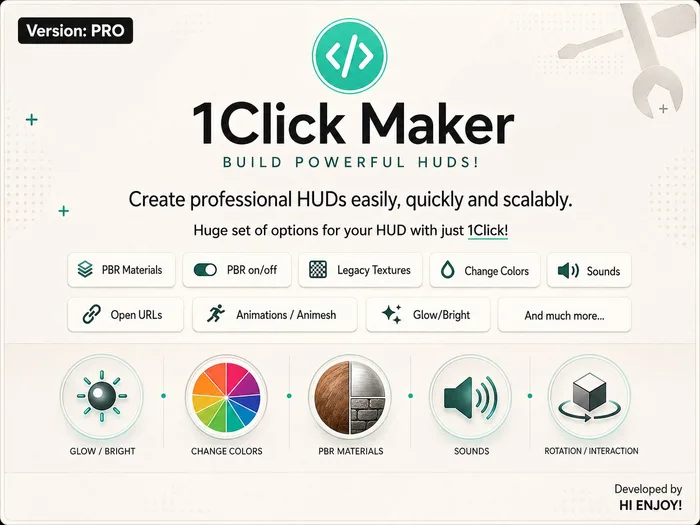
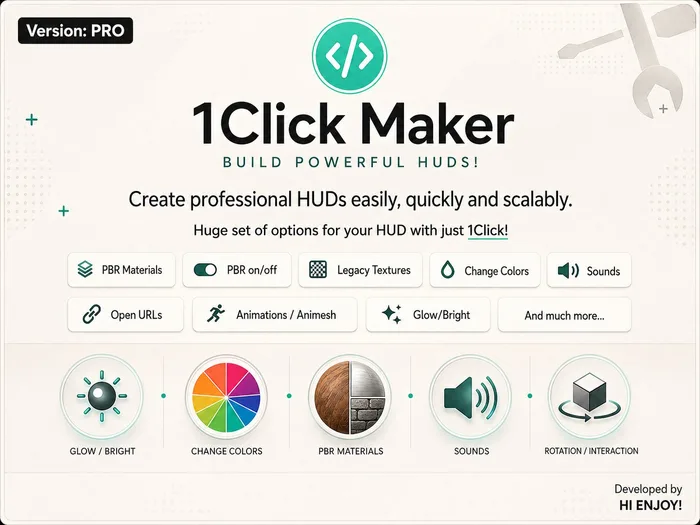
No more complications. With 1Click Maker, you can create simple or complex HUDs for your items with just a few clicks. Apply textures, play sounds, trigger animations, display messages, rotate objects, change colors, switch PBR materials, and much more — all without editing notecards or copying endless UUIDs.
CURRENTLY SUPPORTED FEATURES:
Legacy Textures
PBR Materials
PBR Custom
PBR On/Off (Apply PBR materials and Blinn-Phong textures to a single HUD!)
Color Picker
Alpha Mode (BP & PBR)
Sounds
Rotation
Position
Object Size
Resizer
Ghost Object
Messages
Point of Light
Glow
Full Bright (ON/OFF)
Color Change
Transparency
Give Objects (UNPACKER)
Animations
Object Animations (ANIMESH)
Force Detach
Delete Object
Open URLs
And the best part: many more features are coming soon!
AI ASSISTANT
Control your project through an interactive chat powered by artificial intelligence. It can read and understand your codebase, identify bugs, answer your questions, and, believe it or not, even work for you.
UI BUTTONS
You’ve never seen anything like this before! With our virtual button creation system, there’s no need to link dozens of prims to your HUD or waste time naming them just to make them detectable. Now you can literally “draw” your buttons directly in the panel, and they’ll be ready to use instantly. It doesn’t get any simpler than this. It’s almost like using Canva.
Check out the full details here:
https://docs.hienjoystore.com/modes/ui
CONDITIONS AND VARIABLES
We stopped being just a simple texturing system a long time ago! And to reinforce that, you can now define variables directly in the panel and use them later to make decisions that bring your project to life.
For example, an on/off button. Before, you needed two buttons, one for ON and another for OFF. Now, with just a single button, using a combination of variables and conditions, you can achieve that and much more.
Changing a texture is still easy and simple, but if you want to add an extra layer of complexity and detail, this feature is for you.
Everything is done through a clean and intuitive web interface — no scripting knowledge required. Your assets (textures, sounds, animations, materials) are stored in a personal library, ready to use with one click.
EVENTS
You can also use events to automatically trigger actions based on what happens with the avatar or object.
Events are predefined conditions such as attaching, moving, interacting, or colliding. When one of these situations occurs, the system can instantly execute actions like playing animations, changing textures, or updating states.
This allows your ITEM to react dynamically and intelligently, reducing the need for manual input and making your creations more interactive and responsive.
ADVANCED CAPABILITIES:
Timers and loops
Reusable functions to speed up your development
Clean and organized interface
Full step-by-step documentation
Your entire HUD project will usually require only 1 or 2 scripts — making it lightweight and efficient
Check out the full documentation here:
Scripts
Hi Enjoy!